Remediate PDFs for Full Accessibility Compliance — at Enterprise Scale

PureData Cloud’s AI-powered PDF accessibility engine automatically tags document structure, detects reading order, generates semantic alt text, and produces WCAG 2.1 AA compliant output — deployed entirely within your own AWS environment. Zero data leaves your account.

PDFs per batch
0 +
Conformance level
WCAG 0 AA
AWS VPC

Your data stays yours

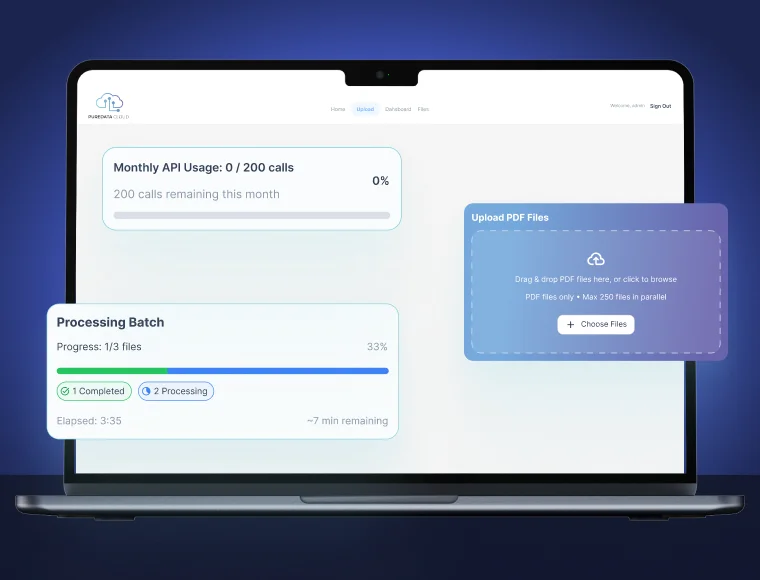
PDF Accessibility Tool Hero Image

Deployed in your AWS account, not a shared SaaS

Powered by Adobe Acrobat Services API

No per-user licensing fees

One-click deployment via AWS CloudFormation

Your Document Library is a Legal Liability You Haven't Fixed Yet

Most organizations are sitting on thousands of inaccessible PDFs — course catalogues, research reports, financial disclosures, grant applications — none of which meet WCAG 2.1 AA, ADA, or Section 508 standards. The exposure is real.
$ 0 k+
Average ADA lawsuit settlement for inaccessible digital documents in 2024
0 +
ADA Title III lawsuits filed targeting websites and documents in 2023
0 %
Of institutional PDFs fail WCAG 2.1 Level A — the baseline standard
0 B
People globally rely on assistive technology to read digital documents

Everything You Need to Achieve and Maintain PDF Compliance

From AI-powered automated remediation to manual post-processing tools and a full compliance dashboard — PureData gives your team complete control over accessibility at scale.

Single-click bulk remediation

Upload one PDF or a full S3 bucket. The engine processes every document in parallel using AWS Lambda — no queue waiting, no per-file bottlenecks.

Automated structural tagging

AI detects and applies WCAG-required PDF tags: Document, Sect, P, H1–H6, Table, Figure, List — with correct nesting and tag hierarchy for screen readers.

AI-generated alt text

Computer vision models describe charts, diagrams, and images in context-aware language — not generic placeholders. Reviewable before final output.

AWS cost transparency
AWS-native processing

All processing runs within your VPC. Documents never leave your AWS account. Data sovereignty maintained for FERPA, HIPAA, and government compliance.
Logical reading order detection

Multi-column layouts, sidebars, callout boxes, and footnotes are correctly sequenced so screen readers navigate content in the intended reading flow.

Table structure accessibility

Complex merged-cell tables are tagged with TH scope attributes, summary attributes, and header-ID associations per WCAG 2.1 Success Criterion 1.3.1.

Language and metadata tagging

Document-level and passage-level language tags applied automatically. Title, author, and subject metadata injected to meet PDF/UA clause 7.1 requirements.
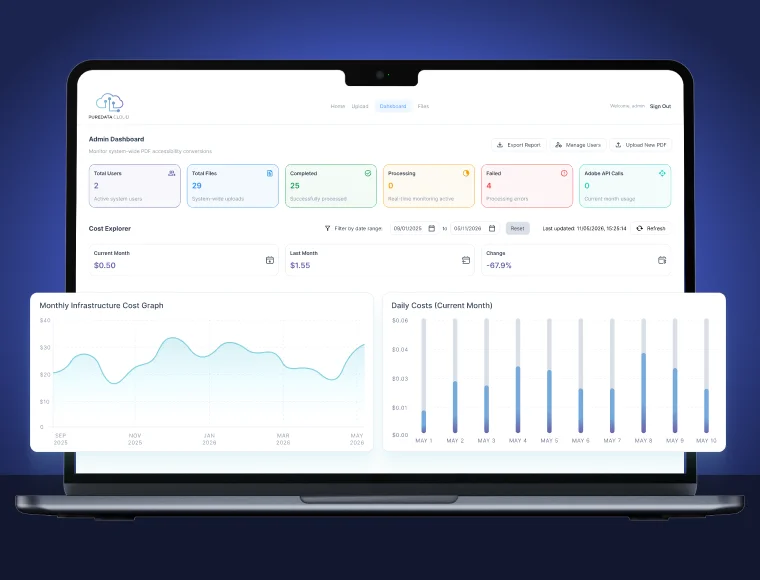
Admin Dashboard
Real-time compliance monitoring

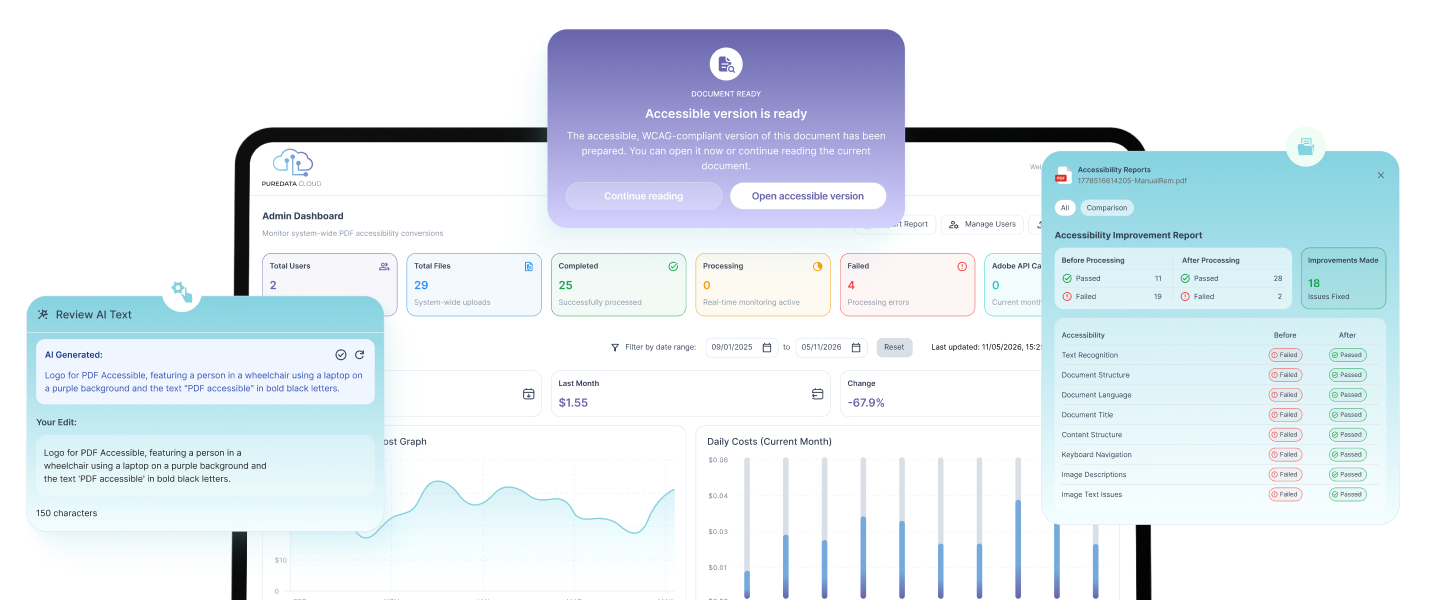
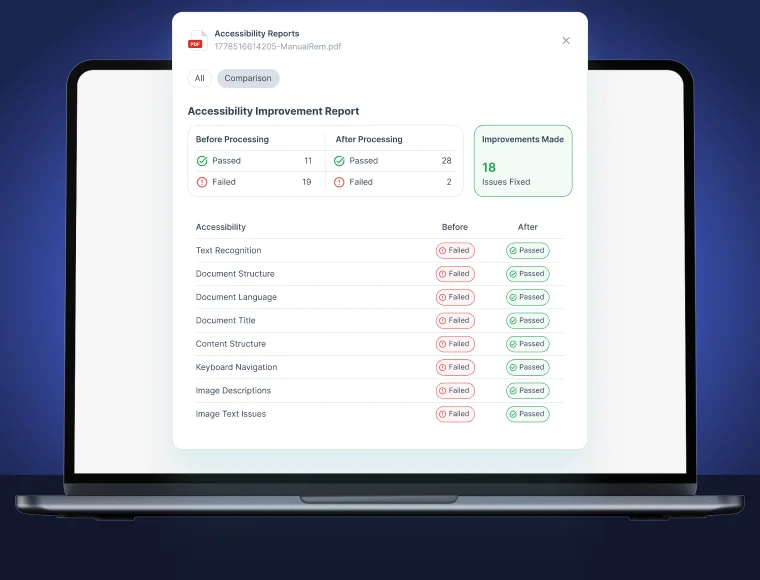
Track remediation status, WCAG pass/fail rates, and pending review items across your entire document library from a single dashboard.

AWS-native processing
AWS cost transparency

Per-document AWS cost breakdown and Adobe API usage metrics — so your finance team has the data to forecast accessibility operations budget.

Smart file search and filtering

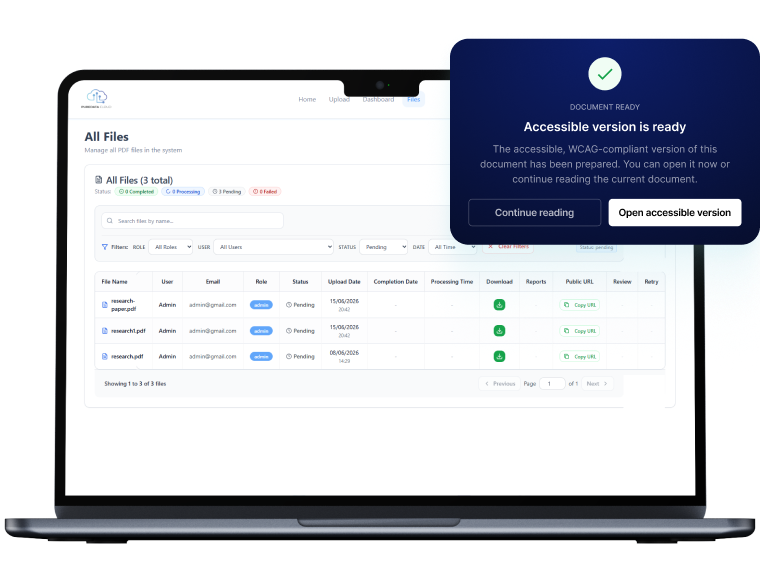
Search by filename, filter by uploader email, role, date range, and compliance status. Combine filters for instant scoped reporting.
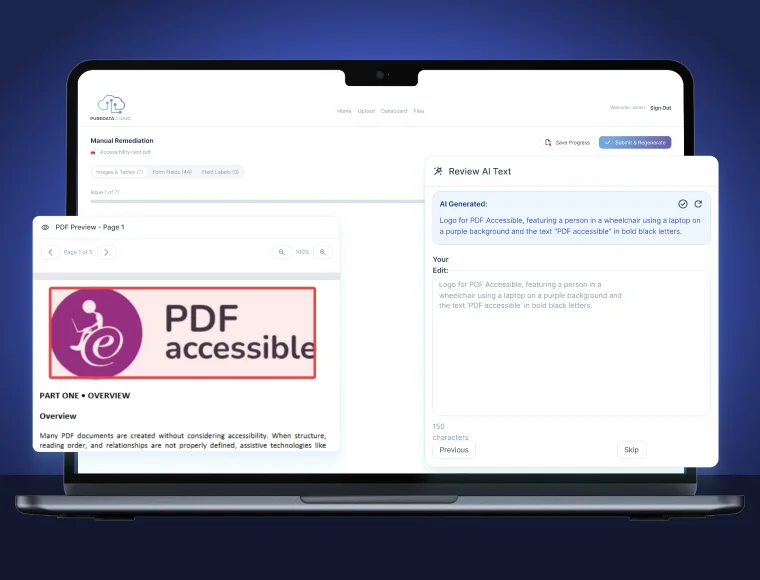
Alt text review and override

AI-generated alt text is surfaced for human review on complex images, charts, and decorative elements — with one-click accept or inline editing before publishing.

Interactive form field accessibility

Add, label, and validate interactive PDF form fields post-processing. Ensures ARIA-equivalent labeling for screen reader navigation of fillable forms.

Remediation audit trail

Every manual edit is logged with timestamp, user, and change type — producing a defensible compliance record for audits, procurement, and legal proceedings.

From Upload to Compliant PDF in Four Steps

Designed for accessibility teams, IT departments, and document operations managers — no developer skills required for day-to-day remediation workflows.
Deploy on AWS
Deploy on AWS
One-click CloudFormation stack deployment into your AWS account. No shared infrastructure. Your VPC, your S3, your security policies.
Direction Arrows
Step 01
Upload documents
Upload documents
Upload via the web interface or pipe directly from an S3 bucket, SharePoint, or your document management system via REST API.
Direction Arrows
Step 02
AI remediation runs
AI remediation runs
The engine applies structural tags, reading order, semantic alt text, language markers, and WCAG metadata — automatically and in parallel.
Direction Arrows
Step 03
Review, export, publish
Review flagged items in the dashboard, download your WCAG-compliant PDFs, and export your compliance report. Done.
Direction Arrows
Step 04

Every Standard Your Organization is Legally Required to Meet

PureData’s remediation engine maps its output to every major international and federal accessibility standard, so one remediation workflow satisfies multiple compliance frameworks simultaneously.

Enterprise-Grade Infrastructure, Deployed in Your AWS Account

Unlike SaaS PDF tools that process your documents on shared third-party servers, PureData runs entirely inside your own AWS environment, giving your security, compliance, and legal teams complete control over data residency.
Deployment
Deployment layer

Single CloudFormation template provisions all resources — VPC, Lambda functions, S3 buckets, IAM roles — in under 15 minutes with zero manual configuration.

Processing
Processing layer

Serverless Lambda functions process documents in parallel. Auto-scales to handle batches of 10,000+ files without pre-provisioned capacity.

AI ML
AI/ML layer

AWS Textract extracts document structure and text. Custom computer vision models generate context-aware alt text. Adobe Acrobat Services API applies WCAG-compliant PDF tags.

Security
Security layer

All data encrypted at rest (AES-256) and in transit (TLS 1.3). S3 bucket policies prevent cross-account access. CloudTrail logging on every API call.

Monitoring
Monitoring layer

CloudWatch dashboards track processing latency, error rates, and API consumption. SNS alerts notify admins of processing failures or compliance threshold breaches.

Integration layer

REST API and webhook support for integration with SharePoint, Drupal, WordPress, and document management systems. S3 event triggers for automated pipeline ingestion.

Built for Every Organization With a Document Accessibility Obligation

Whether you manage 500 PDFs or 500,000, PureData scales to your volume and integrates with your existing document workflows.

Technical and compliance questions, answered

Questions your IT, legal, and accessibility teams will ask before approving a deployment.
What WCAG 2.1 success criteria does the auto-remediation engine address?

The engine addresses all document-applicable Level AA success criteria including: 1.1.1 (non-text content / alt text), 1.3.1 (info and relationships / structural tagging), 1.3.2 (meaningful sequence / reading order), 1.3.3 (sensory characteristics), 2.4.2 (page titled), 3.1.1 (language of page), and 4.1.2 (name, role, value for form elements). Complex criteria requiring human judgment — such as 2.4.6 headings and labels adequacy — are flagged for manual review.

Does the tool handle scanned (image-based) PDFs, not just born-digital documents?

Yes. AWS Textract performs OCR on scanned documents before remediation, extracting the text layer required for structural tagging. For heavily degraded scans, OCR confidence scores are surfaced in the review queue so operators can manually verify extraction quality before the document is published as accessible.

How is our data protected during processing?

All processing occurs exclusively within your own AWS account and VPC. Documents are stored in S3 buckets you own and control, with server-side encryption (AES-256) enforced by bucket policy. Lambda functions process documents ephemerally — no document content is retained in function memory after processing completes. CloudTrail records every API call for audit purposes. For regulated industries, we support HIPAA Business Associate Agreements through AWS native controls.

What does the Adobe Acrobat Services API do, and is there an additional cost?

Adobe Acrobat Services API is the industry-standard PDF manipulation engine used to apply WCAG-compliant structural tags, reading order, and metadata to processed documents. Adobe API costs are passed through at standard Adobe pricing — typically $0.05–$0.10 per document at volume. Your admin dashboard shows real-time API call consumption so you can forecast monthly Adobe costs alongside your AWS infrastructure spend.

Can PureData integrate with our existing document management system or CMS?

Yes. The platform exposes a REST API that accepts document upload requests and returns compliant PDF download URLs. S3 event triggers allow documents deposited into a designated S3 prefix to be automatically queued for processing — enabling no-code integration with SharePoint, Drupal, WordPress, Hyland OnBase, and other document management systems that support S3 or webhook callbacks.

Is this tool sufficient to protect us from ADA litigation?

PureData Cloud produces WCAG 2.1 AA compliant output and generates a documented, timestamped remediation audit trail — both of which are foundational to a defensible accessibility program. We always recommend pairing automated remediation with a periodic human audit and legal review. Automated tools address the majority of technical accessibility barriers, but demonstrating good-faith, ongoing compliance efforts is also a significant factor in ADA litigation outcomes.

Make Every PDF Accessible. Start Today.

Join universities, libraries, and government agencies using PureData Cloud to achieve WCAG 2.1 AA compliance at scale, without manual remediation overhead or shared-server data risk.